Xtream IPTV Player: Complete Setup & Installation Guide (2026)
Have you wondered whether your current streaming setup delivers the high-quality experience you deserve? Many users face buffering and complex setups, turning entertainment into a technical headache.
This 2026 guide makes it easier to use the xtream iptv player on any compatible device. You will learn to install the xtream iptv application, manage your credentials, and adjust playback settings for better results.
We also explain key safety tips and ways to choose a reliable service provider. Follow these clear steps to improve your viewing habits and enjoy a smooth digital experience today.
Key Takeaways
- Learn the step-by-step installation process for your devices.
- Master the configuration of your API credentials for instant access.
- Discover expert tips to optimize your streaming quality and reduce lag.
- Understand the importance of digital safety while using third-party software.
- Get practical advice on selecting the right service provider for your needs.
What Is Xtream IPTV Player?
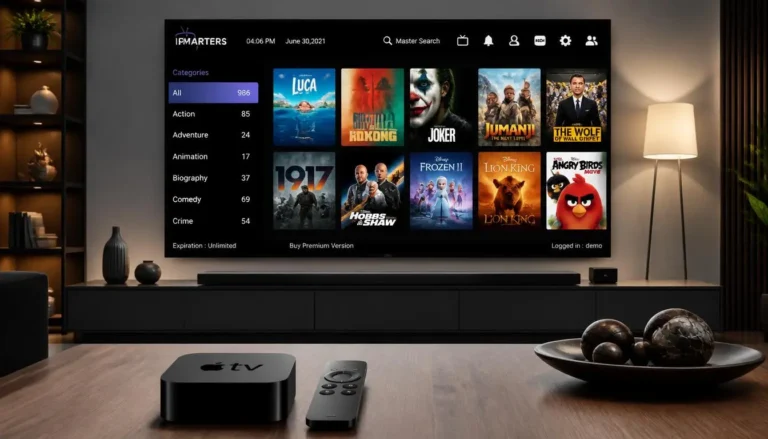
Learning how the xtream player iptv works helps you manage your home media setup. This app serves as a central hub for digital content, including live television, movies, and series. You can combine subscriptions in one clear dashboard instead of managing several apps.

How the Xtream Codes API Works
The xtream Api codes gives this software its main strength. Unlike basic players, it links your device directly and securely to your service provider’s server. Enter your credentials, and the app loads your channel list, EPG data, and VOD library.
This connection keeps your content updated in real time. When your provider adds a channel or updates a movie title, the change appears automatically. The result feels more like using a traditional cable box.
Xtream Player vs Regular M3U Playlist Players
Users often compare this API connection with the traditional m3u playlist format. An m3u playlist is a text file with stream links, but it lacks modern dynamic features. You may need to refresh it manually, which can cause extra work and errors.
The following table shows the main differences between these connection methods. Use it to choose the option that best fits your needs.
| Feature | Xtream Codes API | M3U Playlist |
|---|---|---|
| Setup Ease | High (Credentials only) | Moderate (URL/File upload) |
| Content Updates | Automatic | Manual Refresh |
| EPG Integration | Built-in/Automatic | Often Requires External Link |
| User Experience | Professional/Organized | Basic/List-based |
Your provider and technical comfort should guide your choice. Most modern services support the API method because it offers stable, attractive browsing. Moving beyond a static m3u playlist can improve categories and loading times for your favorite media.
Xtream IPTV Player Key Features
The true power of an iptv xtream app comes from organizing a large entertainment library. It gives you quick access to thousands of channels and movies, so you spend less time searching. A clear interface becomes the command center for your digital media collection.
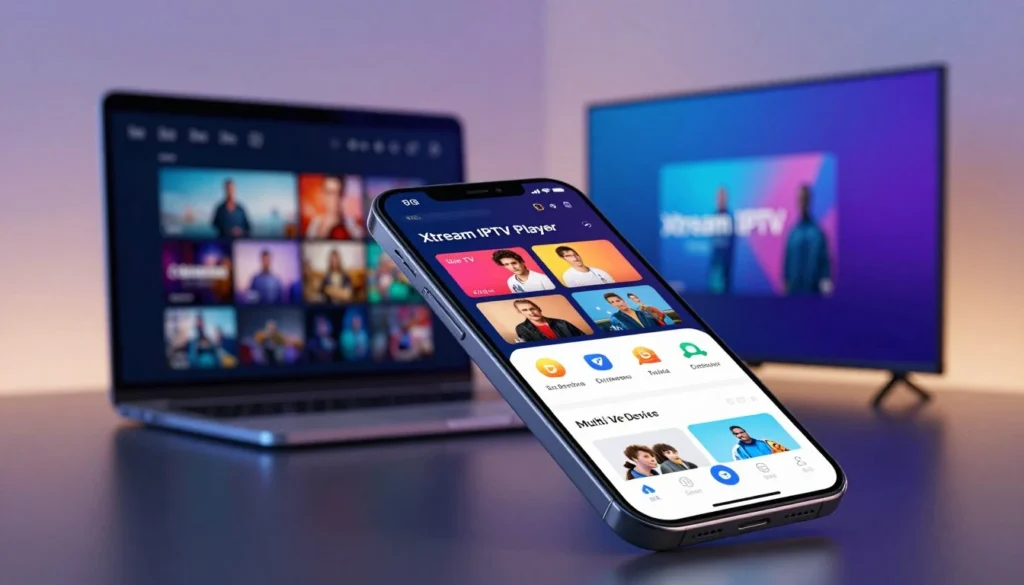
Live TV, VOD, and Series Support
A strong xtream iptv application sorts content into clear groups, including Live TV, Movies, and Series. You can switch from a live sports broadcast to your favorite on-demand sitcom without lag. Efficient organization helps vod streaming keep your library fast and responsive.
EPG TV Guide Integration
An epg tv guide helps modern viewers keep track of their favorite programs. It shows a real-time schedule, so you can plan your evening viewing with precision. You can see show descriptions and start times, making large channel lists easier to navigate.
Multi-Screen and Catch-Up TV Functions
Top players offer flexible multi-screen viewing and catch-up tv options. Multi-screen support lets you watch several channels at once, helping sports fans avoid missing a single play. Catch-up tv lets you watch programs missed earlier that day, creating a personal streaming experience.
| Feature | Benefit | User Impact |
|---|---|---|
| Live TV | Real-time access | High |
| VOD Streaming | On-demand library | High |
| EPG Guide | Schedule tracking | Medium |
| Catch-Up TV | Time-shifted viewing | High |
How to Download the Xtream IPTV App Safely
Protect your device by choosing a safe way to install your media player. When using an xtream iptv app, make sure the software is authentic and free from malicious code. Official installation routes protect personal data and support stable streaming.
Install From the Official Google Play Store
The official Google Play Store is the safest place to get your software. It checks apps for security, helping ensure the iptv player for android you download has no hidden threats. The store also provides automatic updates that fix bugs and improve performance.
Xtream IPTV APK Downloads: What You Must Avoid
Some websites offer an iptv xtream apk file for direct download. Avoid these third-party sources whenever possible. Unofficial files may contain malware, spyware, or trackers that threaten privacy and steal login credentials.
These altered versions may also request permissions the app does not need. Use verified marketplaces to protect your device and account information from unauthorized access.
Supported Devices (Android TV, Firestick, Phones, Tablets)
This player works on many types of hardware. Whether you set up a firestick iptv system or use a standard tablet, the installation steps remain similar. Before starting, ensure your device has enough storage and a stable internet connection.
| Device Type | Installation Method | Security Level |
|---|---|---|
| Android TV | Google Play Store | High |
| Firestick | Downloader App/Official Store | Medium-High |
| Mobile/Tablet | Google Play Store | High |
| Third-Party Sites | Manual APK Sideload | Low |
If you set up a firestick iptv system, you may need to enable “Apps from Unknown Sources” in settings when avoiding the official store. Even when sideloading, verify your xtream iptv apk source to protect your xtream iptv player for android integrity. These precautions help you enjoy content without digital security worries.
How to Set Up Xtream IPTV Player (Step-by-Step)
Follow these steps to connect your service and watch your favorite content today. Proper setup helps your media player run smoothly on any compatible device. Enter your credentials correctly to unlock high-quality entertainment.
Step 1: Get Your Xtream Codes API Login Details
Before you begin, get your official credentials from your service provider. Most providers send these details by email or through your account dashboard after purchase. You need the Api xtream codes information to create a secure connection.
Have your unique xtream codes login ready before opening the application. This helps prevent errors during the first sync. If you cannot find your credentials, contact your provider’s support team.

Step 2: Enter Server URL, Username, and Password
Open the application and select the “Add User” or “Login” screen. Enter the server URL, username, and password in the required fields. Carefully type your xtream codes login because these details are case-sensitive.
Check the server URL for typos or extra spaces. Then click the “Add User” button to continue. This step gives you access to your xtream iptv code 2026 subscription data.
Step 3: Load Live Channels, VOD, and EPG Data
After login, the app downloads your channel list and media library. This may take time based on your provider’s database size. You will soon see live TV, movies, and series categories for vod streaming.
The application also fetches epg tv guide data for current and upcoming programs. If the guide does not appear, open settings and select “Refresh EPG.” This provides accurate information about your favorite shows.
Step 4: Optimize Settings for Buffer-Free Streaming
Adjust the internal player settings for a smoother viewing experience. Open the “Settings” tab and find “Player Selection” or “Hardware Decoding.” Hardware decoding often improves vod streaming on Android-based devices.
Check that your epg tv guide updates automatically. Updated software supports the xtream codes iptv 2026 experience. Use the table below to check your setup status.
| Setup Phase | Action Required | Status Check |
|---|---|---|
| Credentials | Verify API details | Confirmed |
| Connectivity | Test Server URL | Active |
| Data Sync | Load EPG/VOD | Complete |
| Optimization | Enable Hardware Decoding | Enabled |
Xtream IP-TV Player Not Working? 6 Quick Fixes
The right quick fix can often restore your media player. Most glitches come from small setting errors or short network problems. A careful check can reveal the cause and help you resume viewing quickly.
Double-Check Your Login Credentials and Server URL
The most common connection problem is a simple typo in your settings. Enter your xtream codes login details exactly as your service provides them. One wrong character or extra space can stop the application from reaching the server.
Check that the server URL uses the right protocol, such as http:// or https://. If connection still fails, carefully enter your username and password again. This check often fixes authentication errors quickly.
Fix Buffering, Freezing, and Playback Errors
Constant buffering often points to a weak internet connection. Test your speed to confirm it meets high-definition streaming needs. Restart your router or use a wired Ethernet cable for better stability than wireless service.
Your device may also need a fresh start to clear temporary memory problems. Turn it off, wait thirty seconds, and turn it on again. This often fixes playback freezes in the xtream iptv app.
Clear App Cache and Update to the Latest Version
Over time, the xtream iptv application may store temporary data that slows performance. Open your device settings and clear the app cache. This removes outdated files without deleting your login information and can improve response time.
Also, make sure you use the newest software version. Developers release updates to fix bugs and improve compatibility with new hardware. An updated xtream iptv app provides the latest features and security patches.
When to Contact Your IPTV Service Provider
If you checked your xtream codes login and tried basic fixes, your provider may be the problem. Server maintenance or an expired subscription can cause lasting outages. Contact your provider for error codes or service problems across multiple devices.
| Issue | Primary Cause | Recommended Action |
|---|---|---|
| Login Failed | Incorrect Credentials | Re-enter URL and Password |
| Constant Buffering | Slow Network | Restart Router/Device |
| App Freezing | Full Cache | Clear App Cache |
| No Content Found | Provider Outage | Contact Support Team |
The xtream iptv application should work smoothly when your settings are correct. These steps help you find problems quickly and enjoy your favorite content without interruption.
Xtream Apk IPTV vs Other Popular IPTV Apps
Choosing a streaming app can feel hard because many options exist today. Many users start with an m3u playlist, but dedicated apps provide a smoother experience. A smart iptv xtream player offers a professional interface that sorts content by category, helping you find favorite shows.
Xtream Player vs IPTV Smarters Pro
IPTV Smarters Pro is often seen as the industry standard because of its clean design and broad compatibility. Compared with the xtream iptv player , both use the Xtream Codes API for a smooth login process. This is better than manually uploading an m3u playlist because it syncs channels and the VOD library automatically.
Smarters Pro has a more polished visual layout for users who value appearance. However, the xtream player iptv often loads large channel lists faster. If you prefer a lightweight app focused on speed, this player is a strong choice for your device.
Xtream Player vs TiviMate
TiviMate is a premium choice for power users who want deep customization. It offers multi-view, recording, and highly detailed EPG management beyond a standard smart iptv xtream player. TiviMate requires more technical setup, but it creates a highly personalized viewing environment.
By contrast, the xtream iptv player focuses on simplicity and quick setup. It is best if you want to start within minutes without using complex menus. Both apps support account-based access, ensuring your credentials remain secure while you enjoy content.
Side-by-Side Comparison Table
| Feature | Xtream IPTV Player | IPTV Smarters Pro | TiviMate |
|---|---|---|---|
| Setup Method | API Login | API/M3U | API/M3U |
| Interface | Simple/Fast | Modern/Visual | Advanced/Custom |
| EPG Support | Standard | Excellent | Professional |
| Best For | Quick Access | General Users | Power Users |
Best IPTV Service to Pair With Xtream Player Iptv
Your software choice matters, but your provider shapes the viewing experience. Many users spend hours perfecting interface settings, yet external factors can still cause poor stream quality.
Why Server Quality Matters More Than the App Itself
Your xtream iptv player connects your device to the content source. If the source is unstable, software changes cannot stop stuttering or freezing. Strong streaming needs robust servers, efficient routing, and steady uptime.
When a provider lacks proper infrastructure, buffering often starts during peak hours. Overloaded servers may struggle with the data demands of high-definition content. To keep service smooth, look for providers that offer:
- High-speed server infrastructure to prevent bottlenecks.
- Reliable uptime guarantees to keep your channels active.
- Optimized routing for faster data delivery to your region.
- Dedicated bandwidth for 4k live tv streaming.
GreatIPTV4K: Instant Xtream Codes Setup With 4K Servers
If you need a reliable partner for your xtream iptv player, greatiptv4k is a strong choice. The service works smoothly with your setup and provides instant access to credentials through the standard API format.
The main benefit of greatiptv4k is its focus on high-resolution delivery. Powerful servers help keep your 4k live tv streaming crisp and smooth during high-traffic events. Test a service with a short-term plan before choosing a long-term subscription.
Is Xtream IPTV Safe and Legal?
Digital streaming requires a clear difference between software safety and content licenses. Many users confuse their viewing tool with the media source.
Understanding this difference supports safer, more responsible streaming. Knowing how your software works helps protect your digital footprint.
App Safety vs Content Licensing Explained
An xtream iptv application is a media player, like a web browser or computer video player. The software is generally safe when downloaded from trusted sources, such as the Google Play Store.
The content’s legality depends on your service provider. The player does not host or share movies, series, or live channels; it opens streams from your subscription service.
Make sure your IPTV provider has the required licenses for its content. Unauthorized services may cause legal issues and poor streaming quality.
Choose providers that work openly and have proper authorization.
How to Protect Your Xtream Api Codes Credentials
Your login protects your streaming account and deserves the care given to banking details. The xtream codes api contains sensitive credentials for your subscription data.
Never share your login details with third parties or post them on public forums. Avoid dashboard screenshots that show your server URL, username, or password.
If you suspect your xtream api codes information was compromised, contact your provider immediately. Ask the provider to reset your credentials.
These simple security habits help you enjoy favorite content without unauthorized access or privacy risks.
FAQ: Xtream IPTV Player
Streaming can feel confusing, so this FAQ explains common questions about the xtream iptv app. It covers technical needs and connection methods.
Is Xtream IPTV Player free to use?
The app is usually free to download and install on your devices. However, it only works as a media player.
It provides no content, channels, or movies by itself. You need a separate IPTV service subscription for live TV or video-on-demand content.
Can I install Xtream IPTV Player on Firestick?
Yes, you can use this player on your device. Because Amazon may not list it, many users install it as a firestick iptv solution through Downloader.
This process sideloads the APK file directly onto your device. Always download it from a reputable source to help keep your system secure.
What is the difference between Api Xtream Codes and M3U?
The xtream codes api is a login method that sorts content into Live TV, Movies, and Series. It creates a smoother interface than a standard m3u playlist.
An m3u playlist is a simple text file with links to your streams. It is universal, but lacks the API’s advanced features and EPG integration.
| Feature | Xtream Codes API | M3U Playlist |
|---|---|---|
| Content Organization | Automatic Categories | Manual/Basic |
| EPG Support | Integrated | Limited |
| Ease of Use | High | Moderate |
Why does my Xtream IPTV app keep buffering?
Buffering often comes from slow internet or an overloaded provider server. First, restart your router and streaming device to refresh the connection.
If buffering continues, check your internet speed for high-definition streaming. You can also try another server URL from your service, if available.
Final Thoughts: Is Xtream IPTV Player Worth It in 2026?
The right software can change how you enjoy your favorite media. The xtream iptv player helps organize live channels and on-demand content across your preferred devices.
Your success with this app depends on a few key factors. You need stable login credentials, a high-quality provider like GreatIPTV4K, and a secure installation process. Together, these factors create smooth viewing that can rival traditional cable setups.
Troubleshooting stays simple when you update the app and clear its cache regularly. This routine helps your iptv xtream player perform well throughout the year. You can now manage your digital library with confidence and ease.
Review your current streaming habits before choosing your next setup. If you value a clean interface and strong feature support, this application fits your home entertainment system. Start today and enjoy the flexibility of modern streaming technology.